
What you need from a booking app
- A schedule with sessions, breaks and no overlaps.
- Private notes that stay on your device.
- Reminders that cut missed sessions.
- A booking link instead of back-and-forth messages.
How SlotSmile covers it
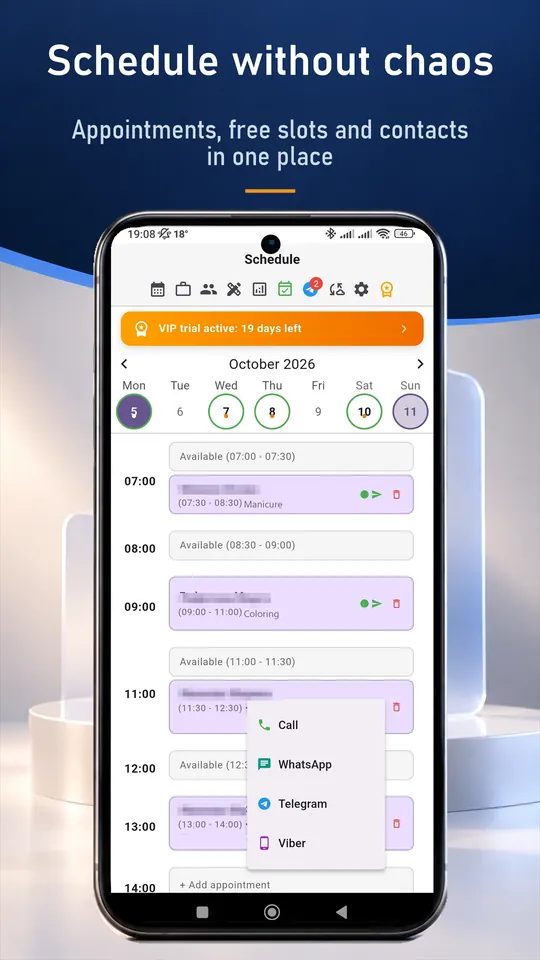
- Schedule with day, week and month views; export to your phone calendar.
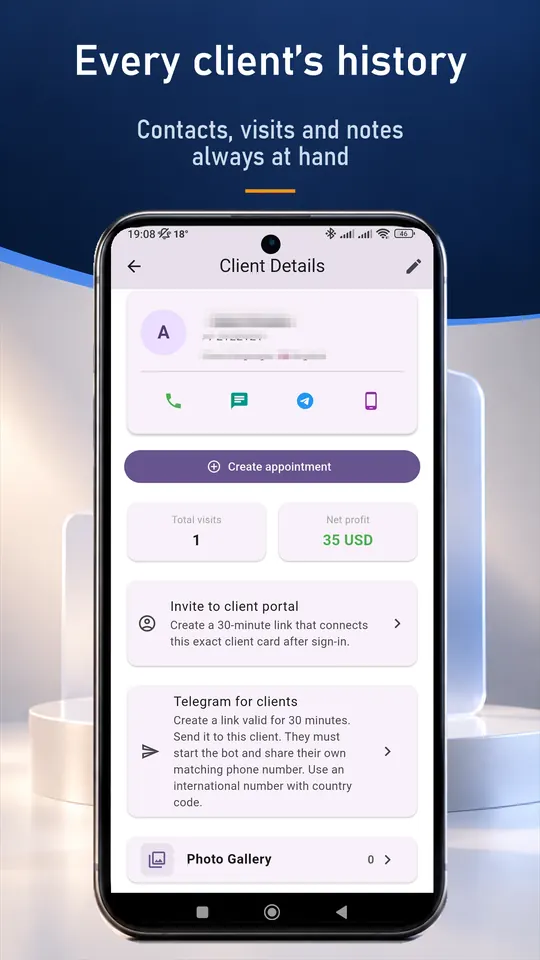
- Client cards with notes; records are encrypted on your device.
- Optional app lock with fingerprint, Face ID or phone code.
- Telegram reminders 24 h and 2 h before the session (VIP).
- Booking link: clients choose a time and you accept the request (VIP).
- Packages of sessions with a remaining count (Pro and VIP).
A typical working day
- Open the day and see sessions with breaks.
- Before a session read your notes from the last one.
- After it add a note and book the next session.
- Send tomorrow's reminders in one tap.
Set up in about ten minutes
- Install SlotSmile from Google Play or the App Store, or open the web version.
- Add your services with prices and durations.
- Set your working days and hours. Free slots appear automatically.
- Share your booking link in your profile or send it to clients (VIP). Requests arrive in the app and you accept each one.
Questions and answers
Is it safe for sensitive notes?
Records are stored on your device in encrypted form, and you can lock the app with a fingerprint, Face ID or phone code. Cloud sync is optional.
Can clients book online?
Yes, through your personal booking link (VIP). You accept each request in the app.
Is there a free plan?
Yes. The Free plan includes up to 50 appointments a month and the client base. New users also get 30 days of VIP.
Do I need internet?
No. Your records are stored on your device. Internet is only needed for cloud sync, online booking and the Telegram bot.
Good to know
SlotSmile is not a marketplace and does not bring you new clients. It does not take card payments either: a prepayment is recorded in the visit, and the money goes straight to you.