
What you need from a booking app
- A timetable with regular lessons and quick rescheduling.
- A card per student with notes, goals and contacts of parents.
- Lesson packages that show how many lessons are left.
- Reminders so that students arrive on time.
How SlotSmile covers it
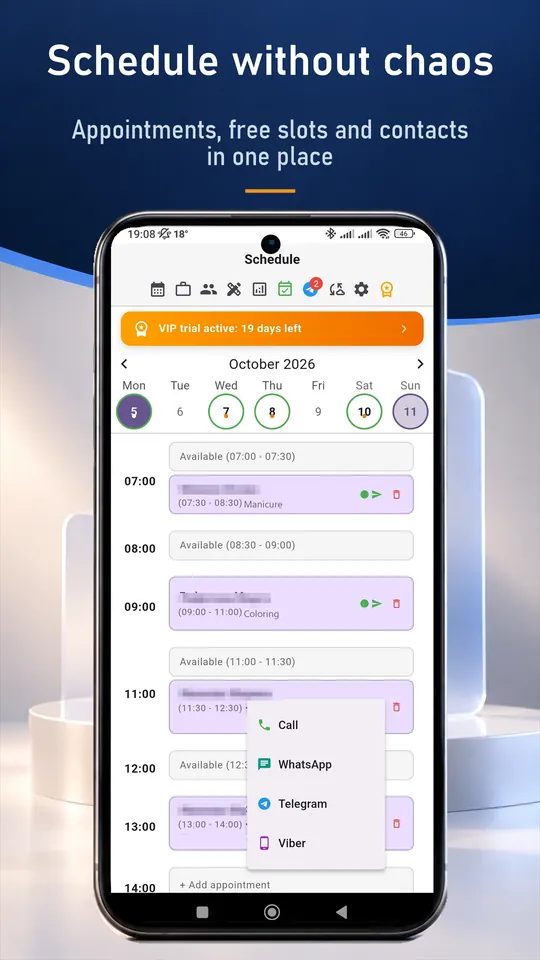
- Week schedule with drag-and-drop and a working-days-only view.
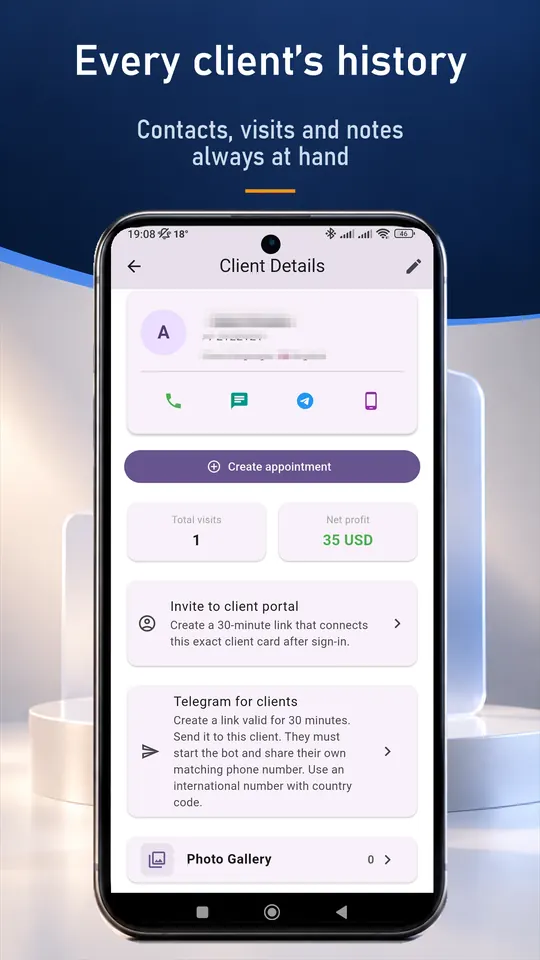
- Client cards with notes, contacts and visit history.
- Prepaid lesson packages with automatic count of remaining lessons (Pro and VIP).
- Telegram reminders to students or parents (VIP), or a one-tap message from your own messenger.
- Booking link for trial lessons (VIP).
- Statistics on income and lessons held.
A typical working day
- Open the day and see all lessons with gaps between them.
- Before a lesson open the card and read the notes from the last one.
- A student cancels: move the lesson with drag-and-drop.
- Send the next-day reminders in one tap.
Set up in about ten minutes
- Install SlotSmile from Google Play or the App Store, or open the web version.
- Add your services with prices and durations.
- Set your working days and hours. Free slots appear automatically.
- Share your booking link in your profile or send it to clients (VIP). Requests arrive in the app and you accept each one.
Questions and answers
Can I teach online and in person?
Yes. A lesson is a time slot with notes, so you can use it for both.
Can parents get reminders?
Yes. Reminders go to the contact saved in the student's card, for example a parent's phone.
Is there a free plan?
Yes. The Free plan includes up to 50 appointments a month and the client base. New users also get 30 days of VIP.
Do I need internet?
No. Your records are stored on your device. Internet is only needed for cloud sync, online booking and the Telegram bot.
Good to know
SlotSmile is not a marketplace and does not bring you new clients. It does not take card payments either: a prepayment is recorded in the visit, and the money goes straight to you.